> ## Documentation Index
> Fetch the complete documentation index at: https://docs.dogelonmars.com/llms.txt
> Use this file to discover all available pages before exploring further.
# How to Wrap ELON
> Follow these steps to convert your ELON tokens into Wrapped ELON (wELON), preparing them for bridging to Solana.
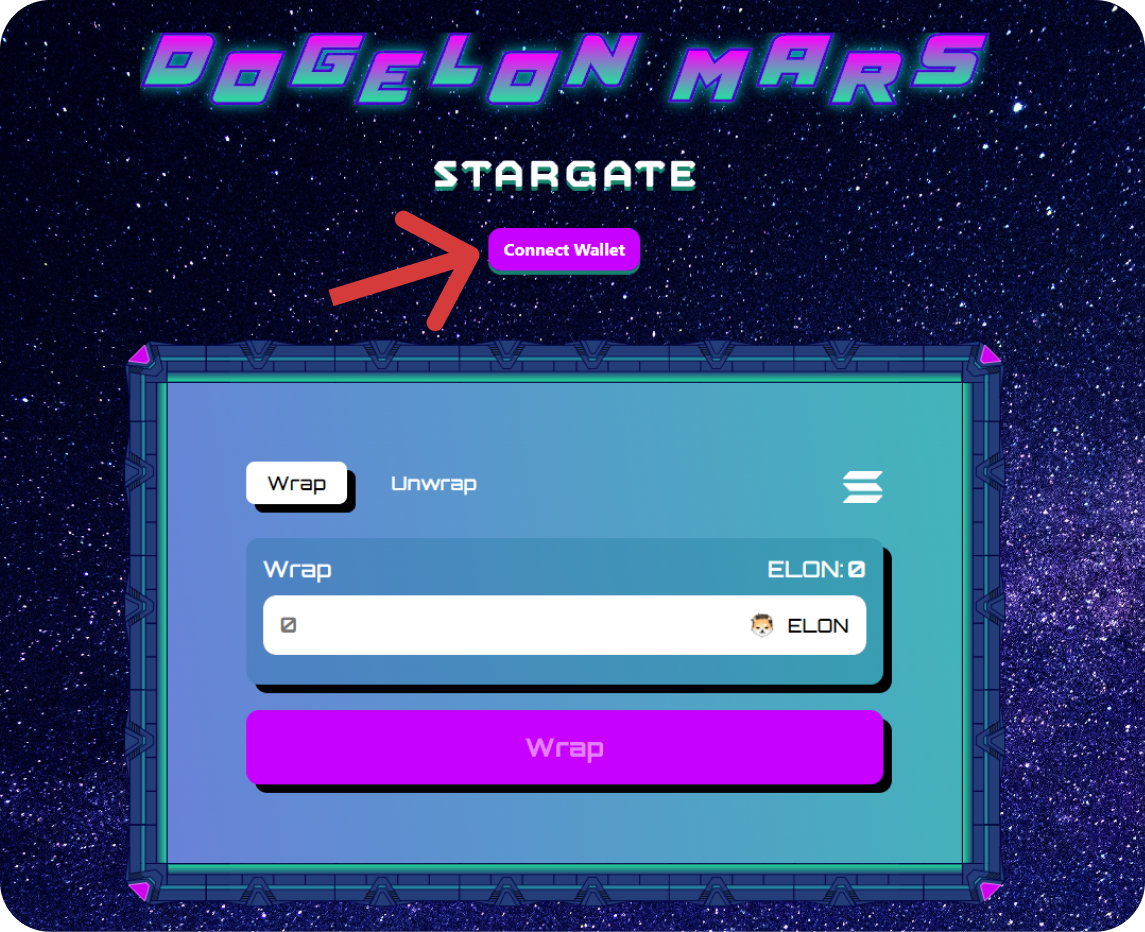
## Step 1: Connect Your Wallet
* Make sure your Ethereum wallet (e.g., MetaMask) is connected.
 ***
## Step 2: Wrap Your ELON
* Enter the amount of ELON you want to wrap.
* Click the **Wrap** button.
***
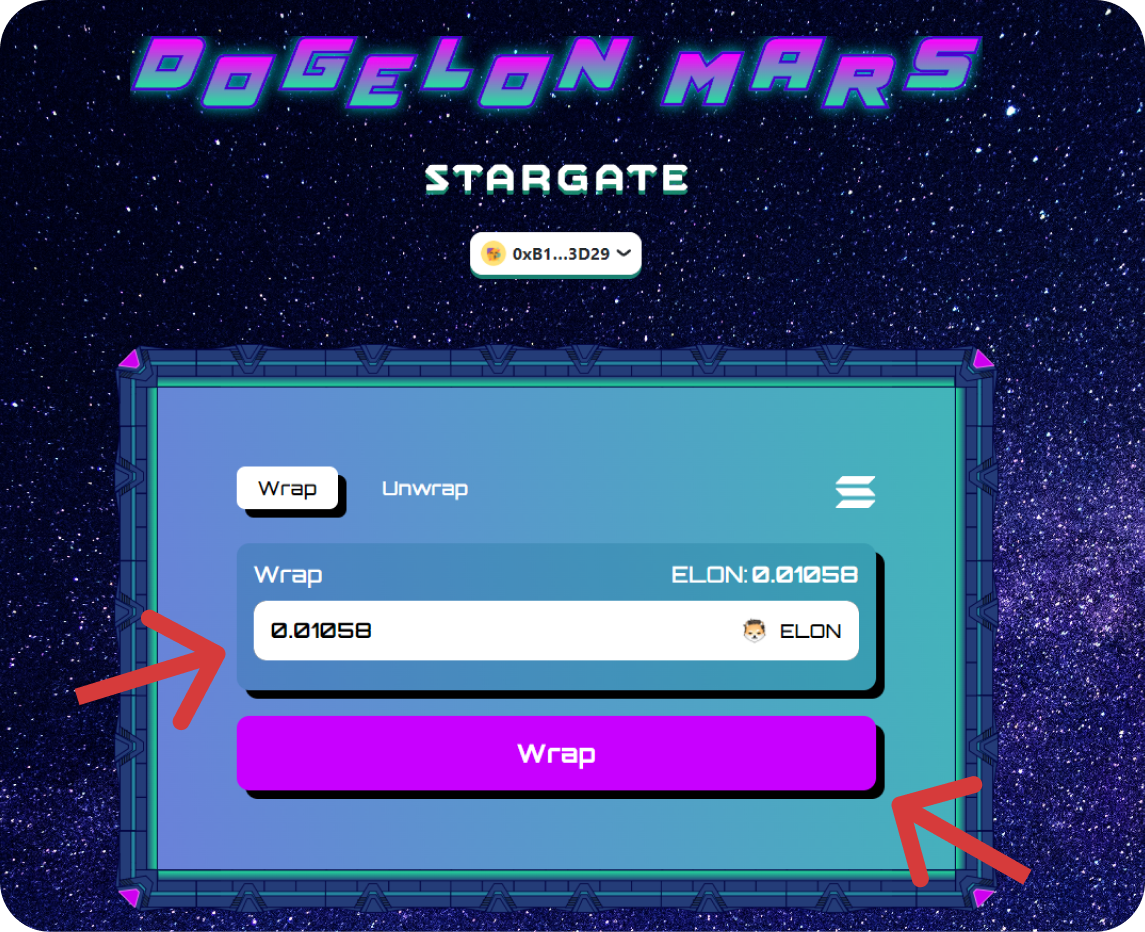
## Step 2: Wrap Your ELON
* Enter the amount of ELON you want to wrap.
* Click the **Wrap** button.
 ***
## Step 3: Approve Transactions
* You’ll receive two prompts from your wallet:
* First, to approve the token amount.
* Second, to confirm the wrapping transaction.
* Approve both and wait for confirmations.
***
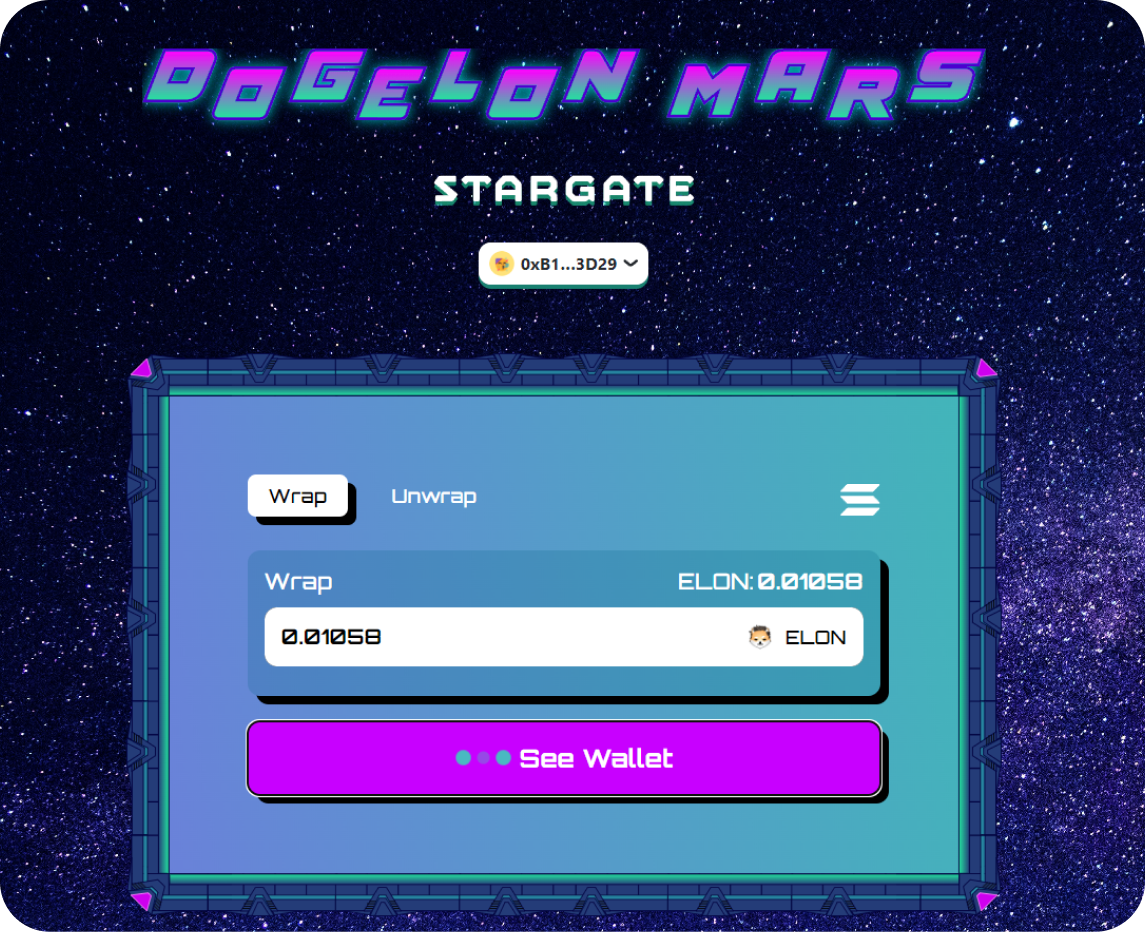
## Step 3: Approve Transactions
* You’ll receive two prompts from your wallet:
* First, to approve the token amount.
* Second, to confirm the wrapping transaction.
* Approve both and wait for confirmations.
 ***
## Step 4: Success & Next Steps
* Once wrapping is complete, your wELON is ready to bridge to Solana.
* Continue to the [How to Bridge](/Dogelon-stargate-docs/how-to-bridge) guide to complete the process.
***
## Step 4: Success & Next Steps
* Once wrapping is complete, your wELON is ready to bridge to Solana.
* Continue to the [How to Bridge](/Dogelon-stargate-docs/how-to-bridge) guide to complete the process.